
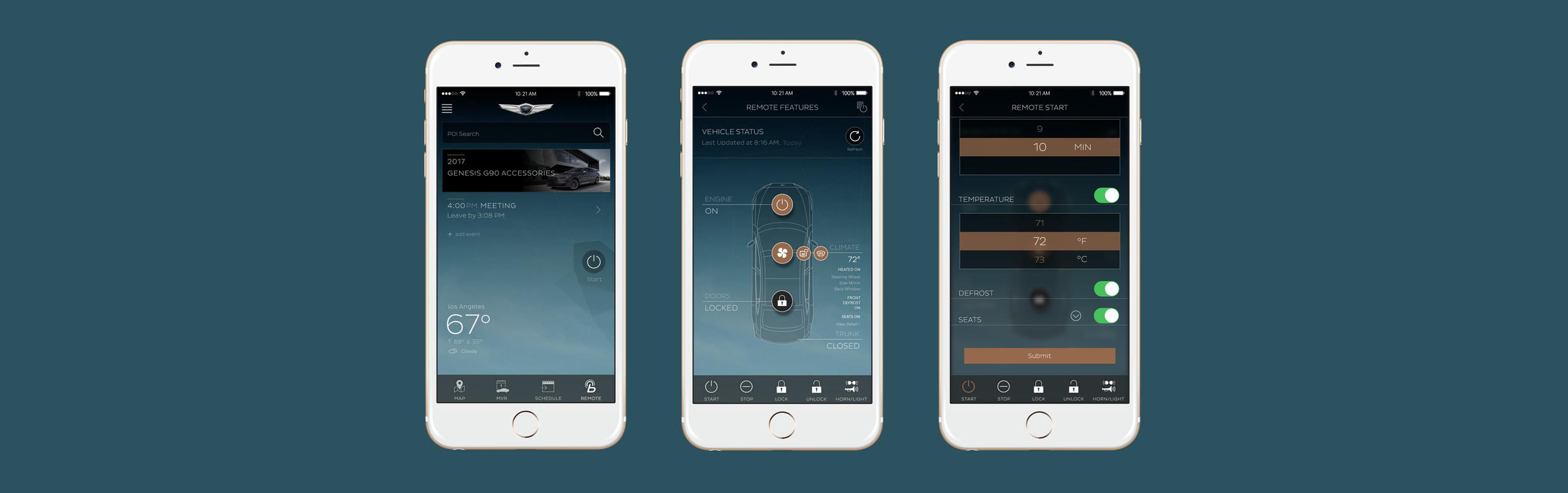
Genesis Intelligent Assistant
App feature: Heated and Ventilated Seat Settings in Remote Start
Role
UI/UX Designer
Skills
UI/UX improvement, QA, joint integration testing, user acceptance testing
Year
2017
App Reach
50k+ users
GENESIS INTELLIGENT ASSISTANT APP
The Genesis Intelligent Assistant app provides users with convenient access to owner resources, service scheduling, and vehicle connectivity through mobile devices and smartwatches. I played a key role in refining the UI and UX across the platform, enhancing usability and delivering a more streamlined experience.
WHAT’S THE POINT?
Genesis users wanted the ability to pre-heat/ventilate their seats before entering their vehicle.
REQUIREMENTS
Allow users to preset their seat settings in remote start.
The feature will be release in two phases.
Phase 1 will be deployed to vehicles that only have 1 level of front seat heat and/or ventilation.
Phase 2 will be deployed to vehicles that have 3 levels of front and back seat heat and/or ventilation.
CHALLENGES
The UX and UI had to accommodate the vehicle hardware and maintain an intuitive user experience.
I had to consider Wear OS smartwatch app implementation.
Different timezones - Collaborated with a development team based in China.
“Perfect for the winter snow”
SUCCESS MEASUREMENTS
I collaborated with PM’s, business analysts and vehicle testing teams. We ran tests against all edge cases and user scenarios to ensure our in app designs communicated with the vehicle hardware and infotainment.
We released the feature in 2 phases, which allowed us to fix phase 1 bugs. This helped us deploy a “less buggy experience” in phase 2.
Interaction Flow
〰️
Interaction Flow 〰️
-
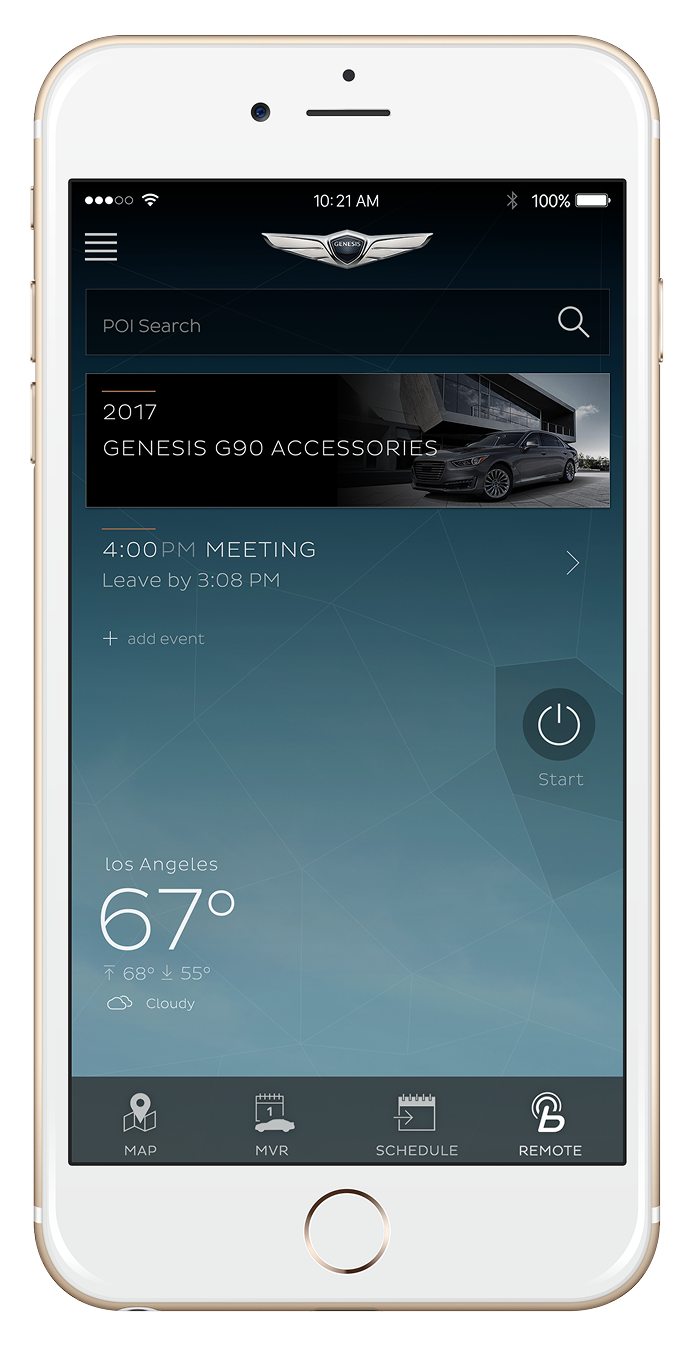
Home
Tap REMOTE to go to REMOTE FEATURES
-
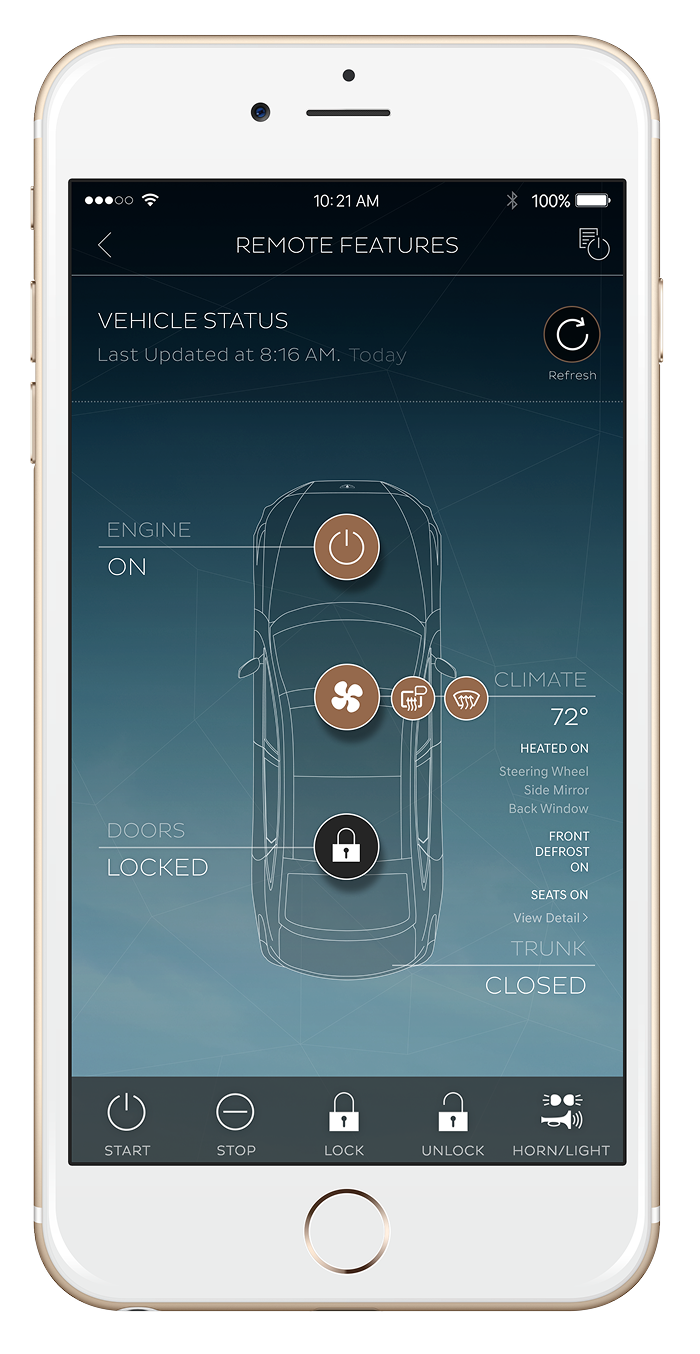
Vehicle Status
Tap START in the tab bar
-
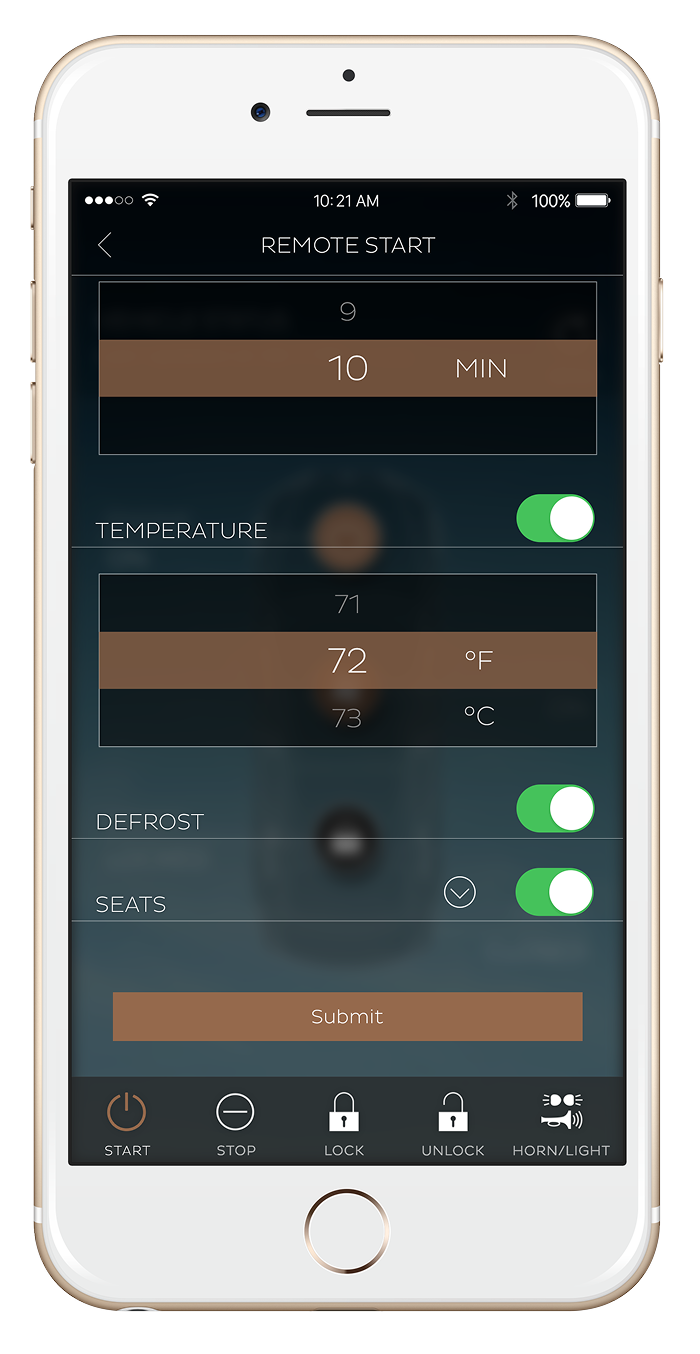
Remote Settings
Select desired settings then tap on seats arrow down to select settings
-
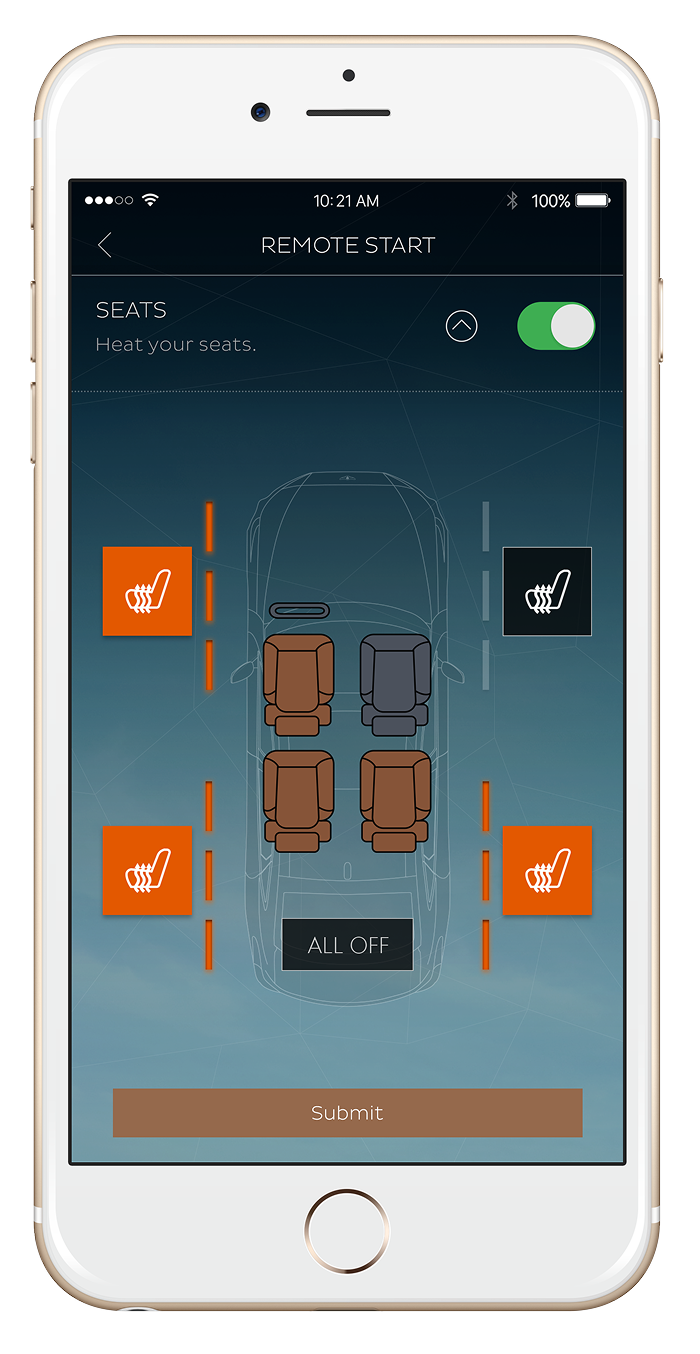
Heat Only
Tap the seat icon button once for level three, twice for level two, three times for level one and fourth tap for off
-
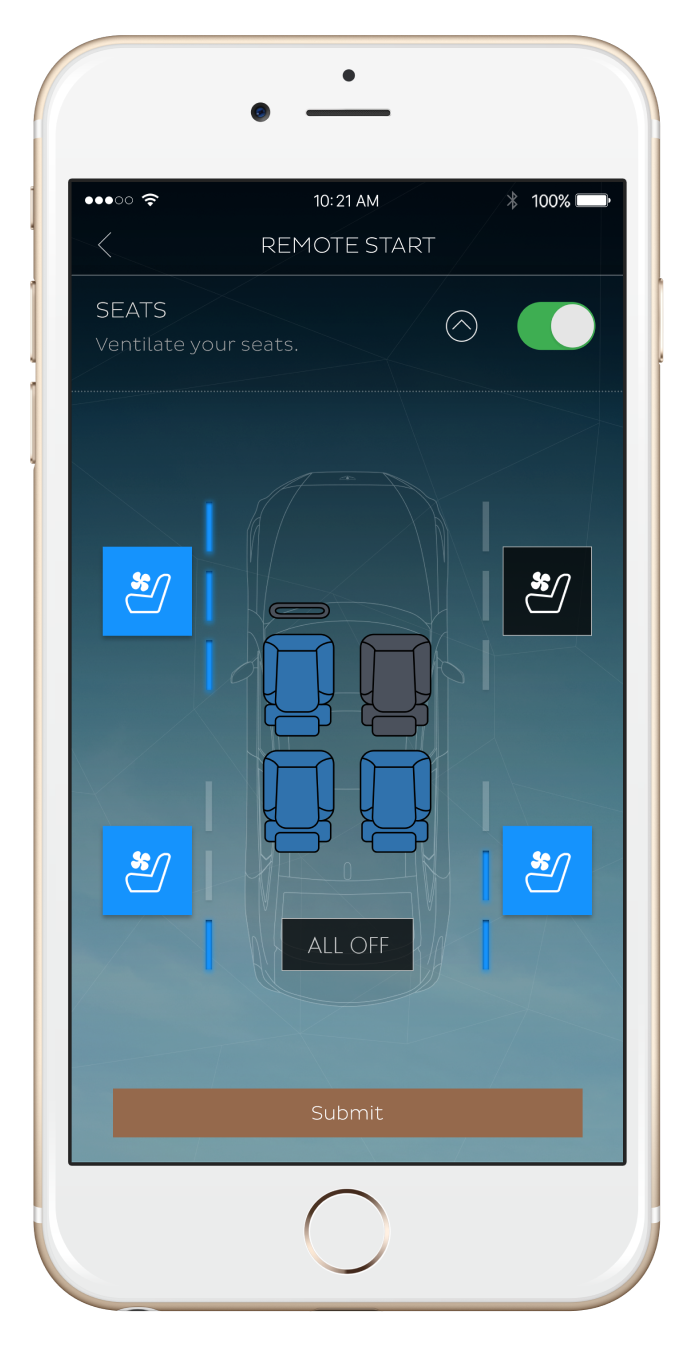
Vent Only
Tap ALL OFF to turn everything off or to reset all seat settings
-
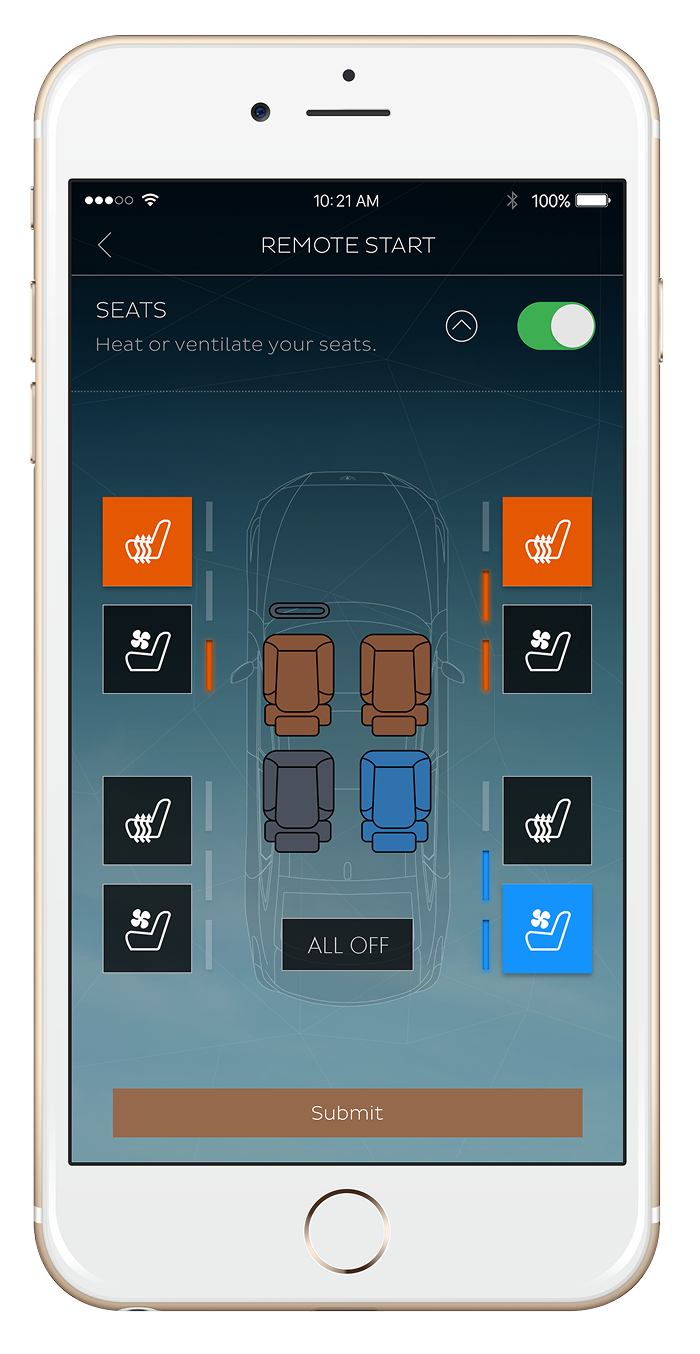
Heat and Ventilation
If heat is on, tap vent to turn off heat to use or vice versa, then Submit
Viewing Seat Status
👀
Viewing Seat Status 👀
-
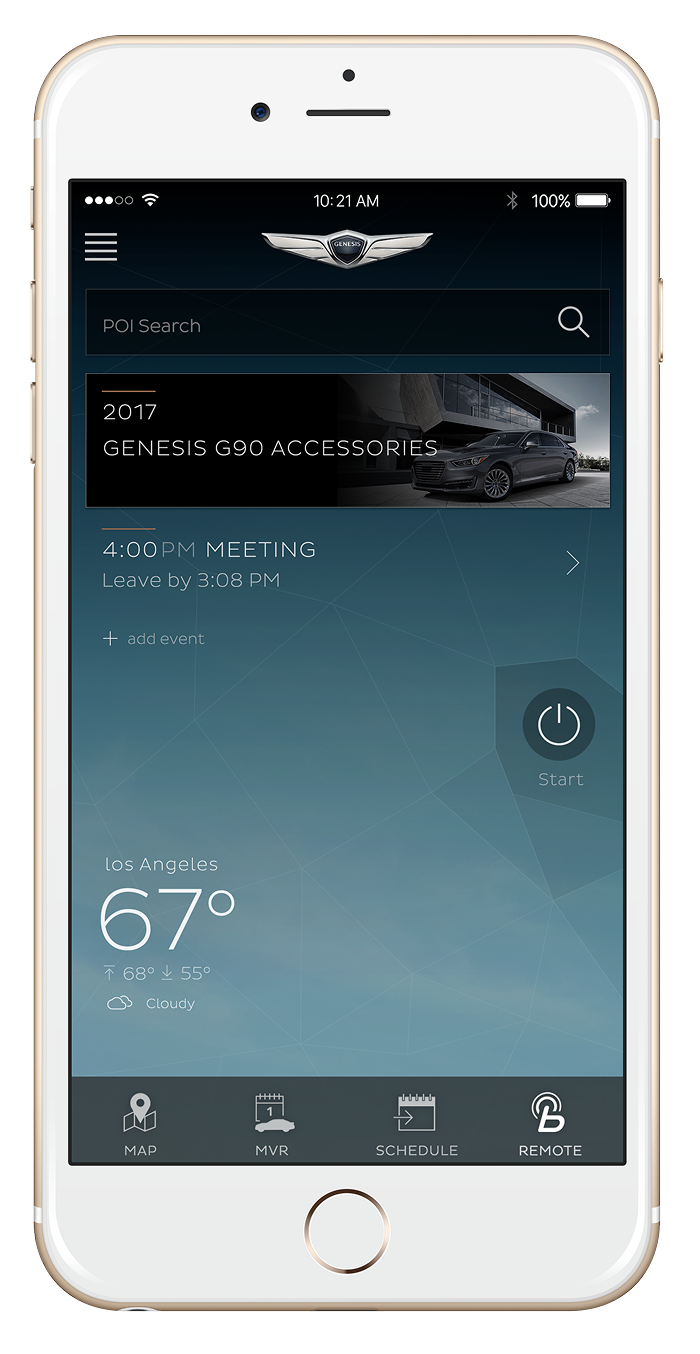
Home
Tap REMOTE to go to Vehicle Status
-
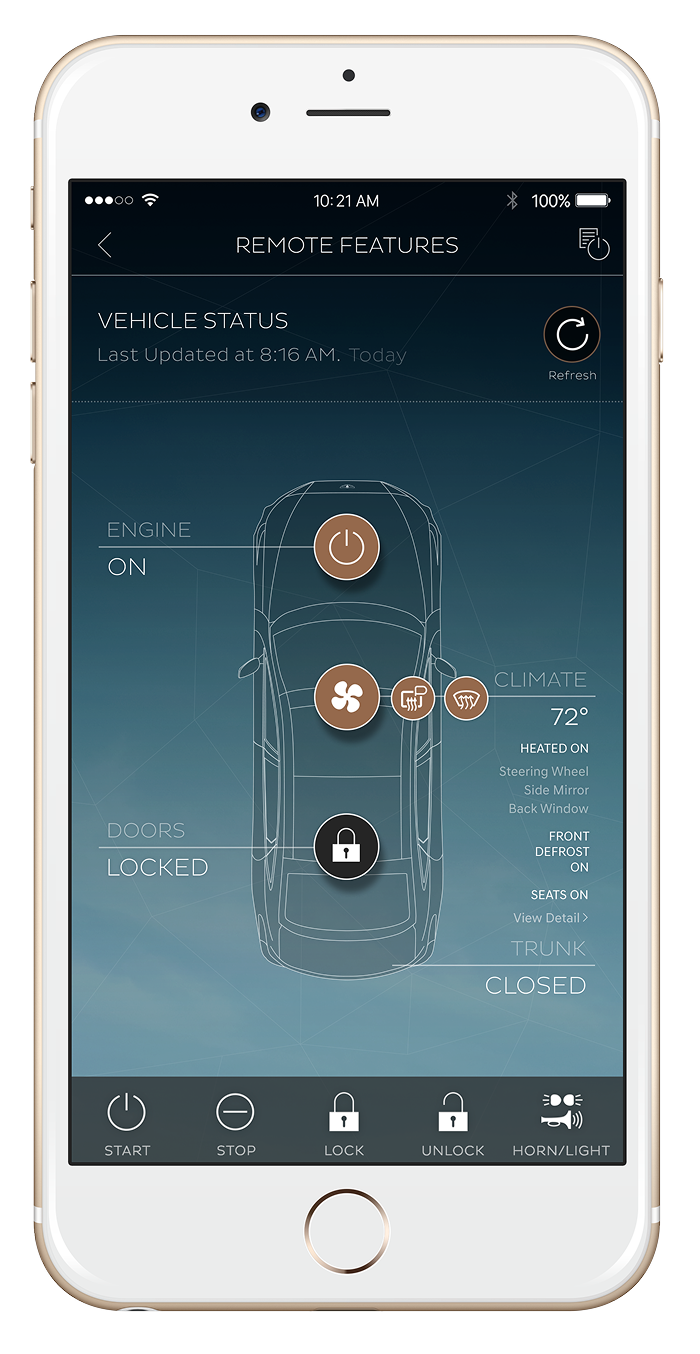
Vehicle Status
Tap View Detail under Seats ON
-
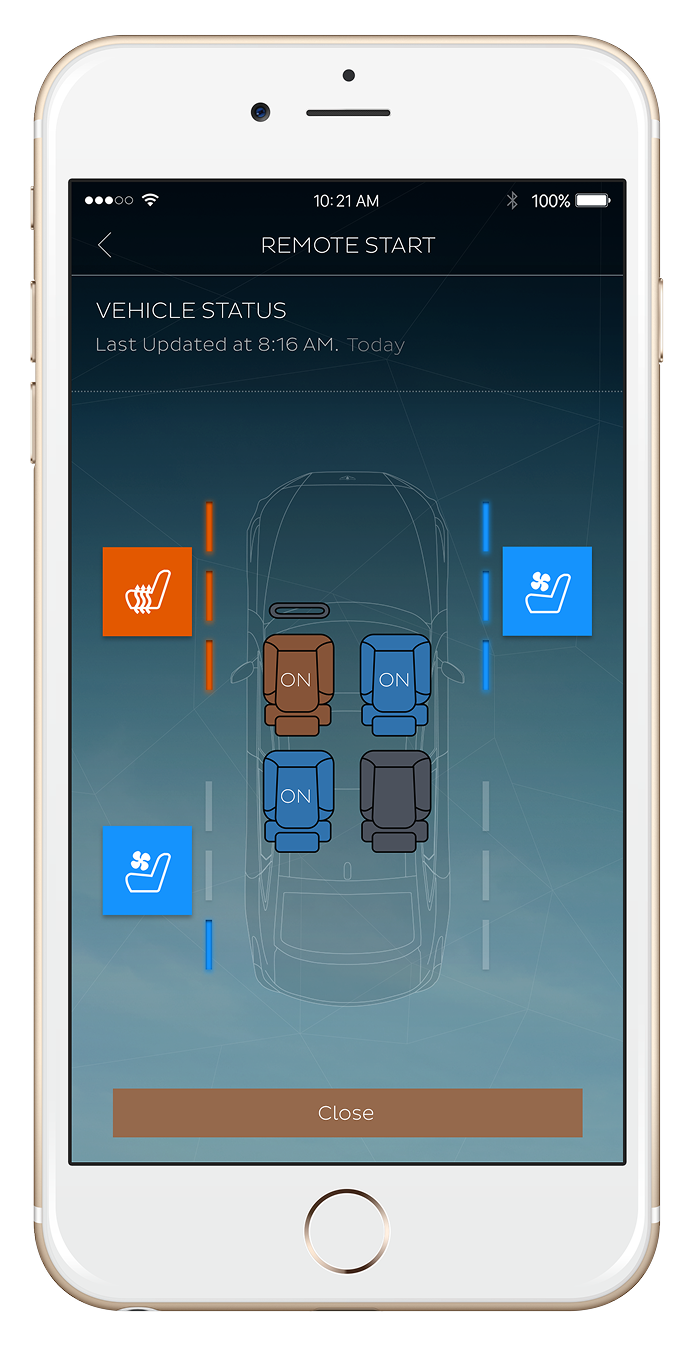
Remote Settings
Tap close or the back button to
go back to Remote Features
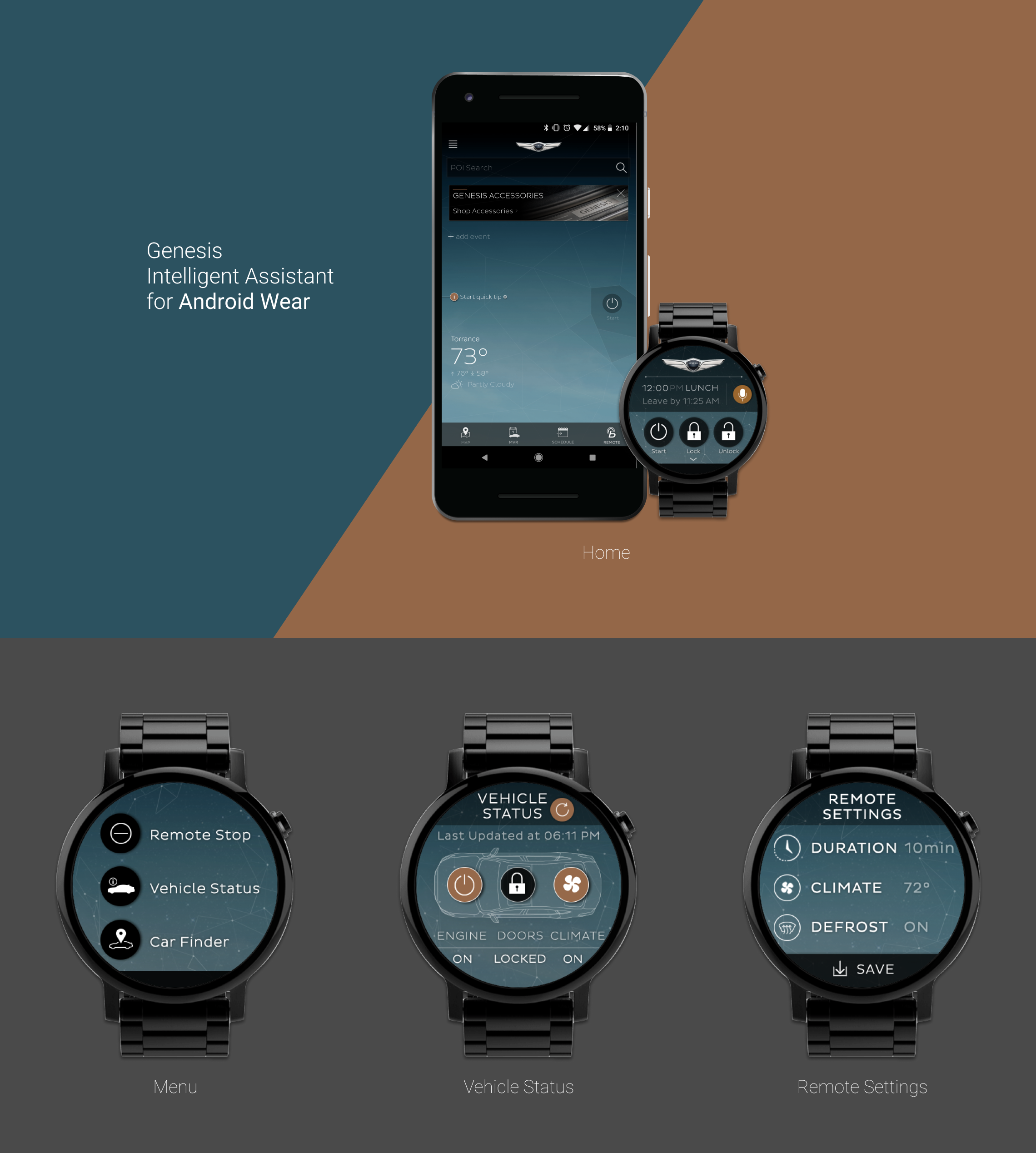
Users have the ability to control certain vehicle features without the need to interact with a mobile device. We had to scale down bigger gestures much smaller.
Google Wear OS gestures were followed and implemented.